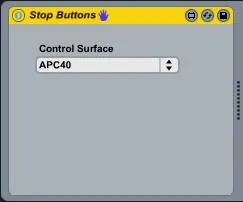
APC40 Stop Button Lights
This is my first Max patch so would love any feedback on how...
- Type
- MIDI Effect
- Author
- tomoram
- Version
- 1.0
- License
- None
- Live version
- 8.1.3
- Downloads
- 1,212
- Updated
- 2010-06-26
APC40 Stop Button Lights is a MIDI Effect for Ableton Live by tomoram, distributed as freeware, with no license specified by the author. It targets Live 8.1.3. On maxforlive.com it has 1,212 downloads. Published 2010-06-26. 13 user comments below.
New to Max for Live? Read what MIDI Effects do, how device licenses work, how to install a device.
Description
This is my first Max patch so would love any feedback on how I could improve it.
All this patch does is makes the Clip Stop buttons light up if there are playing clips in the track. I can't help but feel this is how the APC40 should work as standard because you never know what stop buttons to hit if you scroll down to a place where the clips which are active aren't visible on the APC button matrix.
To use this patch simply load it up on an empty midi track and select your APC40 controller and away you go.
The one shortcut I took with this patch it that I poll for the track offset every 200ms rather than tracking changes, the reason for this is sadly it seems you can't observe the offsets of the red box so the alternative would be to observe every button which could change the focus of the red box and to be honest I just can't be bothered to do that right now. Maybe in the future ;-)
Comments (13)
Hope you don't mind but i've done the bits on the observing the bank select buttons, left and right as these are the only ways of changing the redbox focus....
And i've removed the send and receive objects, i've found they're great when building but they take up extra size and cpu when you could just patch directly, i should really colour code more stuff!!
Anyways it's in the dropbox if you want to use the modifications, awesome first patch by the way!!
Cheers
D
I've had a bit of a play with the version you have upload and while I think monitoring the buttons is the better way to do it I've found it still needs some work because.
1) The left & right buttons work fine but the lights seem to go out when you press the up & down buttons, some default functionality kicking in I guess. It'll be easy enough to add the tracking of the up & down buttons in there too.
2) Pressing the shift key and adjusting the red box position with the Button Matrix also moves the red box (if you have more than 8 tracks of course). I guess I could just trap a release of the shift key for that.
But yeah on the whole I think that's the better approach, I'll have a bit of a tinker and upload a new version soon.
If you observe the shift key off state you may need a slight delay before sending the bang through?
Cheers
D
Interesting about the shift keey, I'll try experimenting with delays if it gives me problems.
very useful on a piece of equipement that is all about feedback! thanxchz!
e-mail me @ [email protected]
Keep up the great work.
Best regards
Is there a way you can have the stop lights red instead of green? Red = Stop to most people & it would also help distinguish the stop buttons from the green matrix buttons.
Thanks, PP.
Cheers
D