- Type
- MIDI Effect
- Author
- Panosla
- Version
- 1.0
- License
- AttributionNonCommercialShareAlike
- Live version
- 10.0.1
- Max version
- 8
- Downloads
- 598
- Updated
- No Updates
Note2Ctrl is a MIDI Effect for Ableton Live by Panosla, distributed as Creative Commons Attribution-NonCommercial-ShareAlike. It targets Live 10.0.1 and Max 8. On maxforlive.com it has 598 downloads. Published 2018-07-02. 4 user comments below.
New to Max for Live? Read what MIDI Effects do, what the AttributionNonCommercialShareAlike license means, how to install a device.
Description
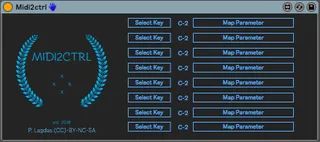
This utility consists of a MIDI device that takes as input midi notes and controls up to 8 parameters in Live.
This device is meant to give to the user the ability of working with automation in the piano roll environment.
How to use:
1. Load the device in a dummy midi track
2. Select a midi note to use as controller
3. Map the respective parameter by clicking on the map parameter button and then by clicking to any parameter in the live set
4. Repeat for as many as you wish.
Comments (4)
But it would be great to be able to add a toogle mode, so we can map any note to a parameter exactly like a CC toogle button.
For exemple to trigger on/off message.
It's crazy, but I'm searching since weeks about this very simple function and I couldn't find any M4L device working that way.
It could be coded as a "hold note" function that stays until the note is played again. So the note off message would be only sent at the second note hit...