DrumSeq
DrumSeq is a simple 8 track 16 step sequencer for the Novati...
- Type
- MIDI Effect
- Author
- moss
- Version
- 2.1
- License
- None
- Live version
- 9.0.5
- Max version
- 6.1.4
- Downloads
- 6
- Updated
- 2013-11-01
DrumSeq is a MIDI Effect for Ableton Live by moss, distributed as freeware, with no license specified by the author. It targets Live 9.0.5 and Max 6.1.4. On maxforlive.com it has 6 downloads. First published 2010-12-22, last updated 2013-11-01. 18 user comments below.
New to Max for Live? Read what MIDI Effects do, how device licenses work, how to install a device.
Description
DrumSeq is a simple 8 track 16 step sequencer for the Novation Launchpad.
Usage in Ableton Live:
Place it before a midi drum module.
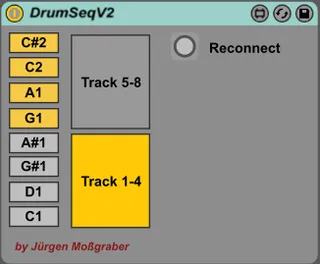
The first Launchpad found will be automatically connected. Note: Press the reconnect button if it fails.
Select the note to play for each track. The default setting covers the main drum sound of a GM drum mapping.
Press Play in Live.
Fire a scene or a clip. DrumSeq will automatically create a 1 bar clip if it is an empty slot.
Usage on the Launchapd:
Switch to user 2 mode.
The upper 4 matrix button rows display the 8 first steps and the lower 4 rows the steps 9-16.
The green bar displays the current played step.
Press the up (learn) button to switch between track 1-4 and 5-8.
Press a matrix button to enable or disable the specific step on the track.
Press both the left and right button (page) to cleear the current pattern.
Use the upper 4 buttons on the right to mute the specific track.
Use the lower 4 buttons on the right to create random notes on the specific track.
Notes:
If the time signature is set to 4/4 the 16 steps are 1 bar. You can also use time signatures which lead to less steps (e.g. 3/4 will be 12 steps) but not time signatures like 5/4.
If you make changes in the clip the changes are not reflected on the Launchpad because the notes buffered separately for faster update. Switch to another clip and then back to fix the issue.
New in 2.1:
- Works on midi clips.
New in V1.3:
- Adapted to Live 9 and Max 6.1
- Fixed an initialisation bug when Launchpad was not already in User mode 2
New in V1.2:
- Adapted to Max 6 (still works with 5)
Comments (18)
Just downloaded your device, seems like exactly what I am looking for!
But every few bars it seems to stop? Then I have to start and stop from the live transport to get it going again.
I'm really not very good with MAX to understand why it is doing this, but any help would be much appreciated.
Kind Regards
Lem
never noticed such a problem. Are you using the latest M4L?
Cheers!
I have ableton 8 and max6, but using the launchpad I am not able to change the pattern in the greed nor the notes (only the pattern-change button works).
Didn't found the previous version.. what can I do?
thanx
So, moss, if you are reading this....pleeeeeeease, pleeeeeeeeease, pretty pleeeeeeeeease? I may even consider paying for it!
Swing would be nice too!
Here's a vid of me using it BTW - I'd like to have chained patterns (a complete sequence longer than a bar just to add slight variations to the rhythm - even 4 bars would suffice)
http://www.youtube.com/watch?feature=player_embedded&v=qr7-K8YEGdA
I think I got something for you I was working on a new version of DumSeq but did not find the time iron out some nitpicks (which are difficult). But however I put it on my homepage for you to have a look: http://www.mossgrabers.de/Software/M4L/M4L.html
This version works directly with MIDI clips so you can have as much as you like and can add other midi effects as well.
Press the up (learn) button to switch between track 1-4 and 5-8.
Press a matrix button to enable or disable the specific step on the track.
Press both the left and right button (page) to cleear the current pattern.
Use the upper 4 buttons on the right to mute the specific track.
Use the lower 4 buttons on the right to create random notes on the specific track.
DRUMSEQ V2 not works for me :(
Please try again.
I use liv9.05 and newest m4l and your v2.01 from your website.
Press the up (learn) button to switch between track 1-4 and 5-8.
Press a matrix button to enable or disable the specific step on the track.
Press both the left and right button (page) to cleear the current pattern.
Use the upper 4 buttons on the right to mute the specific track.
Use the lower 4 buttons on the right to create random notes on the specific track.
doesnt work for me too.
What can be the error?
Please help.
Thanks in advance
i was wonder if you have an old version of this max device to run on max 5.1.3???
if not there is something i can do to fix the device???