Winder
Allows to move the play position of all clips of a scene wit...
- Type
- Audio Effect
- Author
- moss
- Version
- 1.0
- License
- None
- Live version
- 9.0.4
- Max version
- 6.1.2
- Downloads
- 4
- Updated
- No Updates
Winder is an Audio Effect for Ableton Live by moss, distributed as freeware, with no license specified by the author. It targets Live 9.0.4 and Max 6.1.2. On maxforlive.com it has 4 downloads. Published 2013-06-21. 1 user comment below.
New to Max for Live? Read what Audio Effects do, how device licenses work, how to install a device.
Description
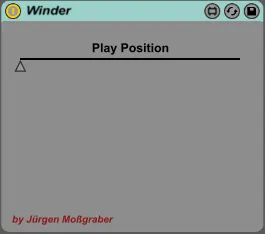
Allows to move the play position of all clips of a scene with a slider.
I use this to solve the following problem: For an electronic live project I have a couple of backing tracks to which additional synths are played live. I split up each song into separate tracks like drums, bass, pad, etc. For practicing I would like to move the play position to a specific section of the song which need some practicing. Out of the box you can do this only for single clips in live. With the Winder device you can adjust the play position of all clips in a scene.
Usage: Put it into the master track. Select and start a scene. Adjust the slider. All clips on the scene should have the same length.
Comments (1)