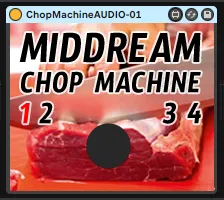
MIDDREAM ChopMachine Live Sampler
This is a live sampling machine where you can record live au...
- Type
- Instrument
- Author
- middream
- Version
- 1.0
- License
- Attribution
- Live version
- 10.1.14
- Max version
- 8.1.3
- Downloads
- 0
- Updated
- 2020-06-10
MIDDREAM ChopMachine Live Sampler is an Instrument for Ableton Live by middream, distributed as Creative Commons Attribution. It targets Live 10.1.14 and Max 8.1.3. Published 2020-06-10. 1 user comment below.
New to Max for Live? Read what Instruments do, what the Attribution license means, how to install a device.
Description
This is a live sampling machine where you can record live audio coming through the audio device and play it back immediately upon button press. Midi notes routed to this device with the "Chop Send X" midi effect will trigger recording and subsequent playing of samples. Pitch bend up and down will speed or slow the sample, and a velocity below 64 will play the sample backward. Relevant notes are C1(36) for "clear," and C#1(37) - E7(100) for "record/play." Notes outside of this range are ignored.
Before you start you MUST press the C1(36) note to start the sampler, or press the button on the actual audio device. The button is midi mappable.
You will also need to group the audio effect and create a new "through" chain so that audio may pass
alongside the effect, otherwise you will only hear the sampled bits when triggered.
Watch the youtube tutorial here for more info:
https://youtu.be/0khh79dKHac
Thank you for playing with my machines, super fun! Follow me on my platforms for questions, ideas,
and general nonsense. Hit me up.
SPOTIFY
https://open.spotify.com/artist/0uxxzdxnMSEx8xOZqOpjyY?si=CthUm_xPS5iWOhX-KfmSYg
http://www.twitter.com/middream_la
TWITCH
http://www.twitch.tv/middream_la
INSTA
https://www.instagram.com/middream_la
YOUTUBE
http://www.youtube.com/u/middream_la
V.1.0, 6/9/20, middream_la
Comments (1)
thanks!