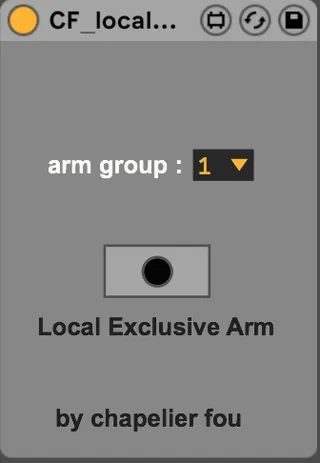
Local Exclusive Arm
Use this device to make groups of mutually exclusive arming ...
- Type
- Audio Effect
- Author
- chapelierfou
- Version
- 1.0
- License
- None
- Live version
- 10.1.17
- Max version
- 8.1.5
- Downloads
- 554
- Updated
- 2022-04-02
Local Exclusive Arm is an Audio Effect for Ableton Live by chapelierfou, distributed as freeware, with no license specified by the author. It targets Live 10.1.17 and Max 8.1.5. On maxforlive.com it has 554 downloads. First published 2020-09-08, last updated 2022-04-02. 8 user comments below.
New to Max for Live? Read what Audio Effects do, how device licenses work, how to install a device.
Description
Use this device to make groups of mutually exclusive arming tracks.
V 1.0 : now it's actually working.
Made Audio and MIDI version.
If you want to support, listen/buy my music.
Comments (8)
it simply makes groups of tracks that would share their arming states.
I think(?) it might be better if you disable the setting in the prefs ?
I might be confused as well, I've not used this for a while.
What are you looking to do exactly ?
You're aware of cmd+click on the Arm button, right ?
I need to think about it. No satisfying solution comes to mind right now, sorry.
It makes whatever track you have highlighted be automatically record armed, which should help with forgetting to arm the looper track before pressing the midi footswitch that start to record the looper if I also have that same switch midi mapped to the looper location, it will always make sure it's record armed when I go to press it.
I need a device that will hold the ARM forever during a live session, so that everything that happens in the DAW was recorded. Because if you use a looper, the Ableton won't record it. Using comand+click will not help, because I use a lot of tracks and do everything through controllers on the fly.
So far I know only one device, it's _P4R - Arm-Me audio v1.5 But it stops recording as soon as you turn on ARM on another track. PLEASE HELP!!!
You absolutely can record the Master out in a track. Simply select "Master" as the input source.