a better search for max devices
MIDI Manipulator screenshot

MIDI Manipulator

by svankov

Slice and dice your MIDI like a ninja! MIDI Manipulator is a...

View on maxforlive.com Website

Type
MIDI Effect
Author
svankov
Version
1.3
License
Commercial
Live version
10.1.18
Max version
8.1.5
Downloads
0
Updated
2021-02-10

Description

Slice and dice your MIDI like a ninja! MIDI Manipulator is a device that adds advanced MIDI manipulation capability to Live, making it easy to quickly create arpeggiated patterns, chop notes into interesting rhythms and create accelerating and decelerating note sequences. All directly printed into the MIDI clip.

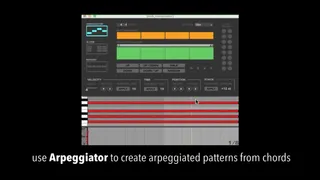
- Use Arpeggiator to automatically create arpeggiated patterns from selected chord notes.

- Use Slicer to chop selected notes into multiple segments for interesting polyrhythms.

- Use Ratchet to create MIDI manipulations that accelerate and decelerate.

- Humanize note timing and velocities.

- Invert chords, shift octave, and stack notes at interval.

- Store manipulation presets and apply them to the selection with a single click.

Compatible with Live 9/10, and Max 6+.

More info here:

http://tetmusic.com/midi_manipulator_features.html

Feature changelog:

V1.3:

* added Legato feature. Unlike Live's clip legato, you can choose whether notes should overlap or not. This is useful for instruments that implement sampled legato transitions on overlapping notes.

* added scribble strip for naming manipulation presets

Comments (10)

  • Malex · January 06 2021
    Hello and thank you for creating this tool. I will definitely evaluate the purchase. I would be happy to know if in the future it will be implemented with other advanced midi editing functions, such as a "legato" function worthy of the name and not like the one that is now in Live. Few think that Live can be a good tool for composition, but in fact if it were enriched with advanced midi editing functions it would be perfect thanks to the immediacy of use that it incorporates in other sectors of music production
  • svankov · January 14 2021
    Thanks for the suggestion. Are you referring to an operation that would extend notes so that they overlap, creating legato transitions in instruments which support them? If so, yes, that’s certainly doable and I will look into it for the next update.
  • oidar · February 04 2021
    Is this working on Live 11? They changed midi operations for max due to MPE additions that they added.
  • aiotea · February 15 2021
    I'm very interested but am on Live 11... can you let me know when compatible?
  • leescan · February 19 2021
    Looks interesting and forgive me if it already does this and ive missed it but ive long been looking for a way or device that will allow you take a midi clip and step through it manually in the same way a few sequencers allow ( 185 ect) so disconnected from the live transport. Ideally you could do this manual stepping either quantised to beat divisions or completely free.
  • sincere1977 · March 20 2021
    please keep us updated when compatible w/ Live 11
  • eRKa · June 11 2021
    Hello! I am interested in this tool. Please confirm if it's working in Live 11. Thank you!
  • prizzle9 · January 25 2022
    I am also very interested but need to know if it's compatible with Live 11 please?
  • prizzle9 · January 25 2022
    ......also Apple M1
  • spice3d · May 09 2022
    Is there a way to *not* have the velocity changed when I slice notes? I want the velocity to remain the same as before the slice. I didn't see anything in the manual.

← Back to search