- Type
- MIDI Effect
- Author
- MasterZap
- Version
- 1.0
- License
- None
- Live version
- 10.1.18
- Max version
- 8.1.5
- Downloads
- 306
- Updated
- 2021-05-13
MIDIMuter is a MIDI Effect for Ableton Live by MasterZap, distributed as freeware, with no license specified by the author. It targets Live 10.1.18 and Max 8.1.5. On maxforlive.com it has 306 downloads. First published 2021-03-12, last updated 2021-05-13. 1 user comment below.
New to Max for Live? Read what MIDI Effects do, how device licenses work, how to install a device.
Description
DO NOT USE THIS DEVICE, use my "Zaps External Synth Tools" instead, it does this, and a lot more :)
https://maxforlive.com/library/device/7315/zaps-external-synth-tool
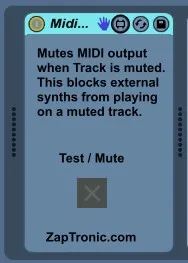
This does one, very simple thing. You put it in a MIDI chain, and it will stop passing MIDI data through when the track it is on gets muted (or when it's "Test/Mute" button is pushed).
Why would you need this? Live treats track "mute" as muting the *audio*, not stopping the MIDI. The actual synth's continue to play, creating note tails and other things that will pop in when you unmute. Also, if those are *external* synths, mixed down on an external mixer and arriving in Live on a separate input, they will keep playing.
Just plug this device onto the track, and now the "mute" button on the track will block the MIDI data flow and make "mute" behave accordingly.
This is great for live "DJ Style" sets driving real-world synths from LIVE using a control surface. (I use an APC40mkII to run a bunch of analog gear)
Comments (1)
I've been meaning to program something like this for a long, long while. I just knew it would involve canonical_parent and the like. I've been dreading it.
I need this for my external drum synths. Soloing a drum track is such a drag for me. Usually I have to goto each one and turn of the External Instrument power button. Ugh.
Now, the Live track mute button actually acts like a regular mute button for midi.
I'm hoping there is a way to do something similar for a Solo Button a 'la
"Delicious Max 6 Tutorial 50: Han Solo, Mute Gunray" at
https://www.youtube.com/watch?v=EHWiMQpmG-8
That would be ... wow. I'll try my best.