CreateRenderTrack
This device will take your currently selected track (audio o...
- Type
- Audio Effect
- Author
- mwicat
- Version
- 0.5.0
- License
- Attribution
- Live version
- 11.0.11
- Max version
- 8.2.1
- Downloads
- 423
- Updated
- 2022-08-31
CreateRenderTrack is an Audio Effect for Ableton Live by mwicat, distributed as Creative Commons Attribution. It targets Live 11.0.11 and Max 8.2.1. On maxforlive.com it has 423 downloads. First published 2022-02-09, last updated 2022-08-31. 7 user comments below.
New to Max for Live? Read what Audio Effects do, what the Attribution license means, how to install a device.
Description
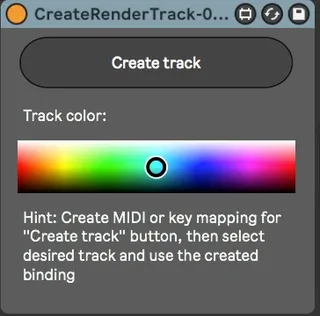
This device will take your currently selected track (audio or MIDI) and create the new audio track that will have its input set to original track, arm engaged and name derived from original name (example: "Test track" -> "[A] Test Track").
I created this device to instantly set up a new audio track that will be ready to take audio output from my current track. This way I can skip the tedious part of creating, naming the new track and setting all the necessary routings. Just create a key binding for "Create track" button and then you can drop this device anywhere and use the binding for operation.
If you don't know how to create keybindings maybe this video will be helpful: https://www.youtube.com/watch?v=2lP2Olgh7R0
Comments (7)
Also would be nice to "CreateRenderMidiTrack" for instant recording from tracks with arpeggio and chord devices.