BypassTrackFX
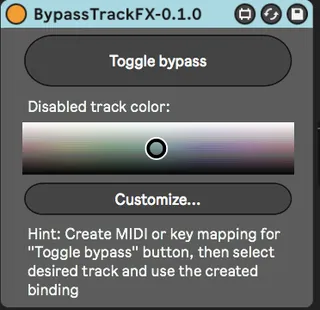
This device lets you disable all the effects on the currentl...
- Type
- Audio Effect
- Author
- mwicat
- Version
- 0.1.0
- License
- Attribution
- Live version
- 11.0.11
- Max version
- 8.2.1
- Downloads
- 205
- Updated
- 2022-09-01
BypassTrackFX is an Audio Effect for Ableton Live by mwicat, distributed as Creative Commons Attribution. It targets Live 11.0.11 and Max 8.2.1. On maxforlive.com it has 205 downloads. First published 2022-08-31, last updated 2022-09-01. 2 user comments below.
New to Max for Live? Read what Audio Effects do, what the Attribution license means, how to install a device.
Description
This device lets you disable all the effects on the currently selected track and later enable them back if needed. Operating it is very similar to my other device: https://maxforlive.com/library/device/7896/createrendertrack
Just drop the device on the master track, create a keybinding for the main "Toggle bypass" button and then go to the track that you want to disable FX on and use your keybinding.
If you don't know how to create keybindings maybe this video will be helpful: https://www.youtube.com/watch?v=2lP2Olgh7R0
Note 1: This is somewhat beta quality at this moment. I haven't got much time to test it thoroughly so please be careful.
Note 2: if you need more advanced features I recommend you to check out https://maxforlive.com/library/device/7527/mm-devices-off-disable-all-effects
I haven't tried that device as I started work on mine some time earlier and now I don't want to get "inspired" too much by its inner workings.
Comments (2)