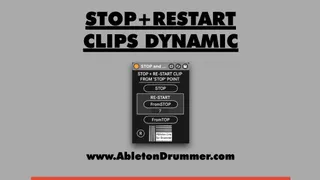
STOP AND RE START FROM STOP or PAUSE FOR CLIPS
Get the device and more info here: https://blog.abletondr...
- Type
- MIDI Effect
- Author
- AbletonKurse
- Version
- 1.0
- License
- None
- Live version
- 11.1
- Max version
- 8.2.2
- Downloads
- 0
- Updated
- No Updates
STOP AND RE START FROM STOP or PAUSE FOR CLIPS is a MIDI Effect for Ableton Live by AbletonKurse, distributed as freeware, with no license specified by the author. It targets Live 11.1 and Max 8.2.2. Published 2022-04-25.
New to Max for Live? Read what MIDI Effects do, how device licenses work, how to install a device.
Description
Get the device and more info here:
https://blog.abletondrummer.com/dynamic-clips-start-in-ableton-live/
When using Ableton Live’s Session View for live performances you might want to stop some clips of some tracks, improvise a solo and then keep on playing from where you stopped. As Ableton Live’s Session View is for live music performance and one would expect that this would be a native feature. Unfortunately this function isn’t BUT I made some Max for Live devices which are able to set dynamic clips start points to the point you stopped them.