- Type
- Audio Effect
- Author
- Sanders
- Version
- 1.1
- License
- Commercial
- Live version
- 10.1.18
- Max version
- 8.1.5
- Downloads
- 0
- Updated
- 2025-05-19
Send is an Audio Effect for Ableton Live by Sanders, distributed as a commercial (paid) device. It targets Live 10.1.18 and Max 8.1.5. First published 2022-07-19, last updated 2025-05-19. 2 user comments below.
New to Max for Live? Read what Audio Effects do, what the Commercial license means, how to install a device.
Description
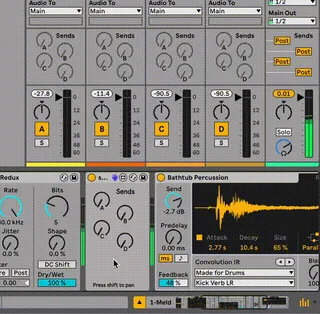
Send is as seamless as it gets: it works exactly like your channel send, but you can simply drop it anywhere in your audio chain. That's it!
Your audio can be sent at any point straight to the returns.
Useable for many creative applications, I'm curious what you'll come up with!
update:
1.0.1: sends didn't match the correct returns in Ableton 10 due to some small discrepancy between 10 and 11 m4l functionality. This is fixed now and should work exactly the same in both versions!
1.1: added optional individual pan dial, use by holding shift.
Comments (2)
This is intended behaviour, since the device will always send the audio pre-mixer. The advantage of this device is precisely that you can grab audio from any point in your fx chain, rather than only pre- or post-mixer. If you need your sends to be post-mixer, using the built-in sends is probably the way to go.