Create and Delete Locators in Ableton Arrangement
This Max for Live device lets you create locators from clips...
- Type
- MIDI Effect
- Author
- AbletonKurse
- Version
- 1.0
- License
- Commercial
- Live version
- 11.1
- Max version
- 8.2.2
- Downloads
- 0
- Updated
- No Updates
Create and Delete Locators in Ableton Arrangement is a MIDI Effect for Ableton Live by AbletonKurse, distributed as a commercial (paid) device. It targets Live 11.1 and Max 8.2.2. Published 2022-09-14.
New to Max for Live? Read what MIDI Effects do, what the Commercial license means, how to install a device.
Description
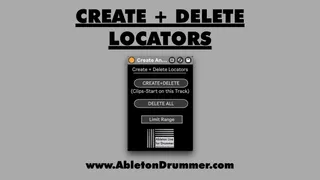
This Max for Live device lets you create locators from clips sitting on this track in Ableton Live's Arrangement View. Just place it on the track you want to use the clips from (Audio or MIDI) and click on "Create+Delete".
If you have locators on clips start point from this track already, those locators will be deleted.
You can as well delete all locators in this Ableton Live Set by clicking "DELETE ALL".
This becomes very handy if you quickly want to create locators for navigating in Ableton Live's Arrangement from guide tracks. You can quickly can create guide tracks with the "Create Guide Clips" Max for Live device.
Get the device / more info here:
https://abletonkurse.gumroad.com/l/create-delete-locator-in-ableton-live