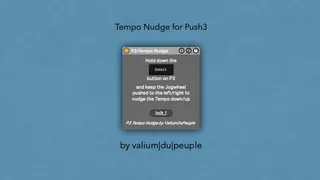
Push3-Tempo Nudge
Need Live's Tempo Nudge control from Push3 and/or inside Pu...
- Type
- Audio Effect
- Author
- Crampe
- Version
- 1.0
- License
- None
- Live version
- 11.3.20
- Max version
- 8.5.6
- Downloads
- 0
- Updated
- No Updates
Push3-Tempo Nudge is an Audio Effect for Ableton Live by Crampe, distributed as freeware, with no license specified by the author. It targets Live 11.3.20 and Max 8.5.6. Published 2023-12-05.
New to Max for Live? Read what Audio Effects do, how device licenses work, how to install a device.
Description
Need Live's Tempo Nudge control from Push3 and/or inside Push3 Standalone?
Here you go with this free M4L device
This device works with Push3 Standalone and Controller.
Place the device anywhere in your set (I recommend the Master track, or any Utilities track you might have).
Hold down the Select button, and push the Jogwheel to:
- the right to nudge the tempo up
- the left to nudge the tempo down
If you release the Select button before releasing the Jogwheel, the nudge will be "locked". You can take advantage of this (and just hold Select and push the Jogwheel again to unlock it), but if you want to avoid it just make sure that the last action is always the release of the Select button, so the order for e.g tempo up would be:
1- Hold down the Select button
2- push the Jogwheel to the right
3- when you want to stop nudging, release the Jogwheel
4- release the Select button
There's a "Init." button, use it in case the device stops working correctly.
Due to a P3/M4L bug, you need to use the current Live 11 and Push 3 beta minimum (L11.3.20bx), and/or the current Live 12 beta.