a better search for max devices
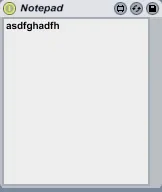
Notepad screenshot

Notepad

by Prebentious

Write Notes!

View on maxforlive.com

Type
Audio Effect
Author
Prebentious
Version
1.0
License
None
Live version
8.1
Downloads
9,024
Updated
2010-01-14

Description

Write Notes!

Comments (27)

  • du · January 13 2010
    sooooo useful!
  • klirr2007 · January 13 2010
    very cool idea!
  • fuadvonloop · January 13 2010
    Super useful thank you!
  • animatek · January 13 2010
    thnxs a lot !!
  • xelat · January 13 2010
    thanks mate :)
  • M4LFiend · January 13 2010
    Live has a notepad already. Right click a clip and click edit info text. It's handy because you can have different notes for different clips and view them just by mousing over them and have the info window open.
  • Prebentious · January 13 2010
    @M4LFiend
    Info Text is cool, but sometimes you forget you wrote a note for something if you leave the info view closed, like I do.
  • tomgalileo · January 14 2010
    genius!
  • flipmode · April 14 2010
    Best patch EVUURRR
  • deanobro · August 16 2010
    Such a simple yet brilliant idea. Thanx for this one. I'll never lose song info again ;)
  • Thor · October 14 2010
    great!!
  • svankov · February 08 2011
    Text after line breaks is not saved with session, unfortunately.
  • svankov · February 08 2011
    Correction - text is saved but line breaks / formatting removed.
  • schnurzel · September 07 2011
    great, thanks!
  • tsutek · December 11 2011
    Thanks for this! tip: disable the patch after writing text to conserve CPU ;)
    Cheers
  • tsutek · December 11 2011
    Oh.. It seems that the notepad works even when the patch is disabled in Live - so keep it disabled at all times to save CPU :)
  • Prebentious · December 14 2011
    Cool tip!
  • Razzkazz · August 14 2012
    Thanks for this, very handy :)
  • jekblad · December 07 2013
    how do we make this float?
  • loseen · January 26 2014
    extremely useful! so much better than the built-in info!
    thanks!!
  • udobehm · May 27 2015
    Hi Prebentious. Thanks for your nice Device. Would you be able making it resizable so that it can be expanded or compressed like a window in Windows (Text should be floating then)? Thx.
  • udobehm · May 27 2015
    Also can you please make a MIDI Device out of it?? This way I could put it in the middle of my chains (and not at the end). Thank you!
  • offthesky · February 10 2016
    is there a way to get this to preserve the line breaks?
  • offthesky · February 10 2016
    i add comments like:
    1. xcomment 1
    2. xcomment 2
    3. xcomment 3
    and when i save/reopen the project, the comments are re formatted as:
    1. xcomment 1 2. xcomment 2 3. xcomment 3
    any ideas on how to make it retain it's original formatting?
  • brandsi · December 29 2016
    Hi there, is it possible to sync these notes with f.e. Evernote? So i can find my notes without the need to open Ableton Live. Or does anybody know if there's a similar plugin?
  • DeStef · January 07 2022
    Thank you for this! Very useful.
  • marchseventh2 · March 15 2024
    The best way is to type like the C/C++ code, break each line with ; so that you could recognize which is one line.

← Back to search