Next Prev Clip
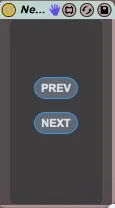
Place this device on a track, and then use the MIDI mappable...
- Type
- MIDI Effect
- Author
- dataf1ow
- Version
- 1.0
- License
- None
- Live version
- 9.5
- Max version
- 7.0.6
- Downloads
- 635
- Updated
- No Updates
Next Prev Clip is a MIDI Effect for Ableton Live by dataf1ow, distributed as freeware, with no license specified by the author. It targets Live 9.5 and Max 7.0.6. On maxforlive.com it has 635 downloads. Published 2015-12-04. 1 user comment below.
New to Max for Live? Read what MIDI Effects do, how device licenses work, how to install a device.
Description
Place this device on a track, and then use the MIDI mappable buttons to play the next or previous clip.
Comments (1)
- play the first clip in the group track
- if I click on "next" the playback stops
- play one of the other clips (slots 2 to 5)
- if I click on next it will stop the playng clip and launch the clip in the slot 1
- in any case, clicking on "prev" has no effect.
Do you think it would be possible to make it work with grouped tracks too?
I wish I could learn how to do it by myself but after having a look at the patch editor documentation I had to give up the idea. Unless you have a link to some examples to study.
Thanks. fabio