- Type
- MIDI Effect
- Author
- Orang3Box
- Version
- 0.65
- License
- None
- Live version
- 9.7.7
- Max version
- 7.3.5
- Downloads
- 2,014
- Updated
- 2019-01-07
orang3box is a MIDI Effect for Ableton Live by Orang3Box, distributed as freeware, with no license specified by the author. It targets Live 9.7.7 and Max 7.3.5. On maxforlive.com it has 2,014 downloads. First published 2018-12-18, last updated 2019-01-07. 13 user comments below.
New to Max for Live? Read what MIDI Effects do, how device licenses work, how to install a device.
Description
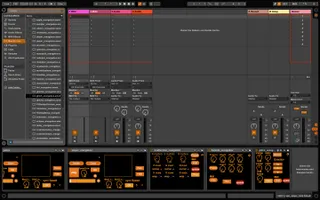
Orang3Box is a whole toolset to play Video BPM synced with more than 30 EFX for Free. Have Fun
Comments (13)
2dtext_orangebox Kopie.amxd and 2dtext_orangebox.amxd (mac fonts I assume). I guess Kopie is in the root folder by mistake.
will play with this! seems very cool and a nice alternative to modular video tools
Unsure what to do next, though. :)
Thank you for developing this, looks like it has good potential.
I have a problem with windows, when I download it, it appears with the rigth name with the term "zip" at the end but this is not a zip file but juste an amxd file, and doesn't work when I want to drag it in Live, nothing.. Any ideas ?
Thanks
And it's possible to integrate this video in the audio/video export of ableton ?
Thanks
I just downloaded orange box.
Is there any documentation, or tutorial videos?
Your url does not seem to work.
Thanks
Our Site is down since mid April 2020.
a little How to start with orang3box:
1. Download
the Problem with the .zip.amxd File-Ending, is the maxforlive.com special Problem. What you should do after downloading is rename the file, because m4l.com accept only .amxd file for uploading, but your download a .zip file. So we put manually .amxd to the filename for the upload.
2. Unpack your .zip file the best case is direct to your Ableton user Library Max Folder. or unzip and copy to this folder.
3. Big Question How to use orang3box, it is open to use over all your midi Channels and free to combine without changing the effect chain. For that possibilities you can open in every device the hidden track device selection or if you have a problem to connect the devices. So, you will see a little dot with a triangle in the right corner of every device to open the hidden part.
3. How to record. We developed to recorder. the normal video record, this one record only your video and can use everywhere.
You want to record your full performance (video and audio), you need the "performance recorder" on your Ableton Masterbus. and you don't need the Audio Videoexport ;-)
1.Choose your Destination/ codec and so on. Recording works only manually "Press Record" and the recording starts. If you see nothing on the Controls-Window in the recorder you have a Chain Problem, check it out in the hidden part.
4. There are some special Tools, for streaming over Network and for use with Streaming Software like OBS for Win/Mac user. These tools can only use for Video NOT AUDIO. IF you have Problems with these Tools, check the OBS Tuts.
Thank your so much and have fun!
Thanks!