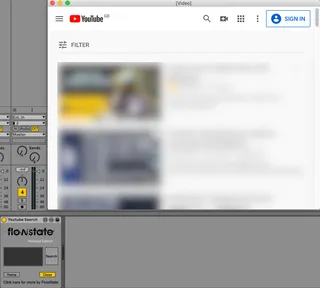
Youtube Search
Search Youtube and watch videos from within Live in a floati...
- Type
- Audio Effect
- Author
- flowstate
- Version
- 1.0
- License
- None
- Live version
- 10.0.1
- Max version
- 7.3.5
- Downloads
- 0
- Updated
- 2020-05-10
Youtube Search is an Audio Effect for Ableton Live by flowstate, distributed as freeware, with no license specified by the author. It targets Live 10.0.1 and Max 7.3.5. First published 2020-05-05, last updated 2020-05-10. 4 user comments below.
New to Max for Live? Read what Audio Effects do, how device licenses work, how to install a device.
Description
Search Youtube and watch videos from within Live in a floating window that always remains at the front until closed.
Useful for finding and watching tutorial videos without having to switch back and foreward to the browser.
Resize the window so that it fits anywhere on your screen without intruding on your production workflow.
FREE on gumroad - just set the price as 0.
*Note - currently the audio from Youtube will not route directly into Live as the video is being viewed in an external Chromium browser.
Comments (4)
I was hoping the audio would route through ableton too, as I was hoping to use it to grab samples.
I will also look in to the issue you are describing with a white screen, this initially sounds like a common GUI issue with windows and external video windows in Live 10. Particularly on a dual GPU system. If possible please try launching Live with the integrated graphics card on your system. If the problem persists please include details in your email and I will gladly help you.
In regards to routing Audio, this has been a requested feature and is being looked in to. Currently the only way of doing this would be using an internal audio routing solution such as soundflower.
Only thing is I would like to be able to log into my youtube account for access to my saved playlists. But when I try and log in, it states that I am using an unsupported browser, and need to refresh (not sure how I refresh the page on this device). Any way to make this work?
Works great in Live 10.1.30
Now I can stave off buying a second monitor for a bit longer!