- Type
- Audio Effect
- Author
- bhenry1790
- Version
- 1.2
- License
- None
- Live version
- 10.0.1
- Max version
- 7.3.5
- Downloads
- 274
- Updated
- 2020-12-19
ESX8CV LFOcto is an Audio Effect for Ableton Live by bhenry1790, distributed as freeware, with no license specified by the author. It targets Live 10.0.1 and Max 7.3.5. On maxforlive.com it has 274 downloads. First published 2020-07-17, last updated 2020-12-19. 4 user comments below.
New to Max for Live? Read what Audio Effects do, how device licenses work, how to install a device.
Description
*requires Expert Sleepers ES and ESX-8CV
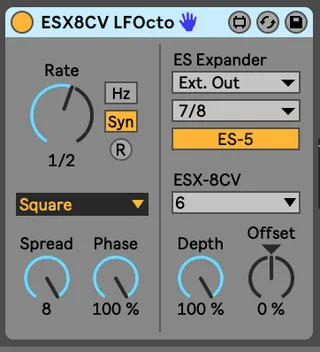
Turn your ESX-8CV into 8 LFO that can free-run or sync to Ableton's clock. It allows you to spread the phase across all 8 jacks or groups down to 1.
*1.1 Updated to work better with Ableton Push
*1.2 Added multiple modes from CV LFO
You'll need to add the es*encoder~ externals to Max for these to work.
https://www.expert-sleepers.co.uk/downloads.html
On a Mac the location for externals (windows will be similar):
Users/Shared/Max 8/Library/
If using with an ES8/9 as an aggregate device turn off DRIFT CORRECTION
Comments (4)
Thanks!
Side note: I do have an ES-3 expander chained off my ES-8, don’t know if that is compatible?