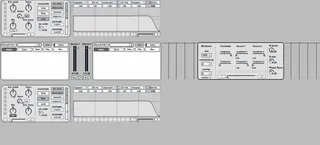
Cross Synthesis
This device is a powerfull advanced phase vocoder with FX mo...
- Type
- Audio Effect
- Author
- veedjee
- Version
- 1.0.2
- License
- Attribution
- Live version
- 8.2.6
- Max version
- 5.1.9
- Downloads
- 5
- Updated
- 2020-01-07
Cross Synthesis is an Audio Effect for Ableton Live by veedjee, distributed as Creative Commons Attribution. It targets Live 8.2.6 and Max 5.1.9. On maxforlive.com it has 5 downloads. First published 2011-11-11, last updated 2020-01-07. 8 user comments below.
New to Max for Live? Read what Audio Effects do, what the Attribution license means, how to install a device.
Description
This device is a powerfull advanced phase vocoder with FX modules.
It require the following Ircam's external objects:
supervp.trans~
supervp.play~
supervp.cross~
Choose between three different modes for both sources and mix them to create the resultant cross synthesis.
-Use audio from an audio track, or grab it in a buffer to stretch it, or you can drop Soundfile file directly in the device.
-Tweak and stretch the source through the FX and EQ modules before doing the synthesis.
-Many presets options available.
Quick demo here:
http://soundcloud.com/veedjee/xsynth-demo1
http://soundcloud.com/veedjee/xsynth-demo2
Hope you will like it !
Suggestions & comments much appreciated !!
Check my other devices here:
http://www.maxforlive.com/library/index.php?by=any&q=veedjee&submit=Search
v1.0.1
-morphing preset for dsp and filter module will work correctly now
-stretch and speed buttons now act on each other
-fix names of all objects explicitly for automation in Live
-add help annotations
v1.0.2
-filters are now effective
Comments (8)
Thanks
Does this not work in Live 11? I installed the ircam externals, there is no error in the max console. The device seems to work but produces no sound. :(