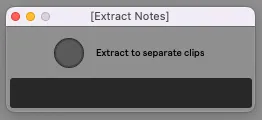
Extract Notes
Extract each populated lane of the selected MIDI clip to a n...
- Type
- MIDI Effect
- Author
- dennisdesantis
- Version
- 1.0
- License
- None
- Live version
- 11.3.11
- Max version
- 8.5.5
- Downloads
- 317
- Updated
- No Updates
Extract Notes is a MIDI Effect for Ableton Live by dennisdesantis, distributed as freeware, with no license specified by the author. It targets Live 11.3.11 and Max 8.5.5. On maxforlive.com it has 317 downloads. Published 2023-09-29. 1 user comment below.
New to Max for Live? Read what MIDI Effects do, how device licenses work, how to install a device.
Description
Extract each populated lane of the selected MIDI clip to a new clip on a newly-created track. The original clip is unaffected.
version 1
Dennis DeSantis
September 29, 2023
Known issues:
- The extracted clips are named for the MIDI note number that they contain. It would be better to show the label that appears on the corresponding note lane in the original clip.
Comments (1)
What would also be great would be to add the option to only export certain MIDI notes.
That could be done with a text box.
For example, "C3-C4" would create MIDI tracks for all notes (if they exist) between those C3 & C4.
Whereas "C3, G3, A4, B4" would only export those notes.
My thinking here is drum racks. I often like to start out with all my drums in one drum rack, but, because i use a lot of third party VSTs, at some point the CPU load gets pretty heavy.
So at that point i'd like to break certain drum sounds out to their own tracks for freezing.
I can get the drum pad out by simply dragging it to a new MIDI track, and all its effects will also come along.
But with the functionality i outlined above, we could also use your device to get the MIDI out.
Actually, a future device that combined all this into one device, as well as deleting the MIDI and devices from the original clip would be amazing!