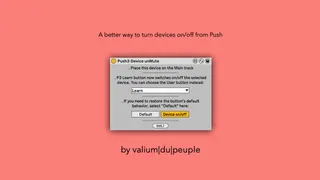
Push3-Device unMute
If, like me, you hate the way devices are switched on/off on...
- Type
- Audio Effect
- Author
- Crampe
- Version
- 1.0
- License
- AttributionNonCommercialShareAlike
- Live version
- 11.3.13
- Max version
- 8.5.5
- Downloads
- 0
- Updated
- 2023-11-21
Push3-Device unMute is an Audio Effect for Ableton Live by Crampe, distributed as Creative Commons Attribution-NonCommercial-ShareAlike. It targets Live 11.3.13 and Max 8.5.5. First published 2023-11-18, last updated 2023-11-21. 5 user comments below.
New to Max for Live? Read what Audio Effects do, what the AttributionNonCommercialShareAlike license means, how to install a device.
Description
If, like me, you hate the way devices are switched on/off on Push, then you might find this M4L tool useful.
Instead of the default 2-hands gesture (hold Mute and press a device's selector button), Push3-Device unMute repurposes the (useless) Learn button which is then used to turn on/off the currently selected device. Simple as that. You can use the User button if you prefer.
It works with Push 3 in Controller and Standalone mode.
It's free.
WARNING:
In Controller mode, with the current L11.3.1x (release and beta), if the Push3-Device unMute stops working correctly when loading a new Set, make sure that there is no "Push2" entry in Preferences > Control Surfaces.
If you happen to switch regularly between P2 and P3, even though P2 is not in use when using P3, its Control Surface entry will be here (and probably greyed out): you need to completely remove it by selecting "None" instead.
Generally speaking, the current state of P3 M4L control is a bit fragile...
Comments (5)
i dont get it working on my push 3 controller.
only user mode dont get active when add on the master.
But there is none device getting muted.
i am on windows 10 and ableton 11.3.13
It's always been in a rack in my template and I never had any initialization problem, nor did I get other report about this.
After launching Live the device gives the following errors: (1) "live.object: Live API is not initialized, use live.thisdevice to determine when initialization is complete
(2) "live.object: get: no valid object set".