- Type
- Audio Effect
- Author
- Crampe
- Version
- 1.4.1
- License
- AttributionNonCommercial
- Live version
- 9
- Max version
- 8
- Downloads
- 1
- Updated
- 2022-02-09
eCo is an Audio Effect for Ableton Live by Crampe, distributed as Creative Commons Attribution-NonCommercial. It targets Live 9 and Max 8. On maxforlive.com it has 1 downloads. First published 2018-02-20, last updated 2022-02-09. 28 user comments below.
New to Max for Live? Read what Audio Effects do, what the AttributionNonCommercial license means, how to install a device.
Description
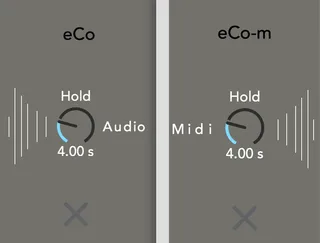
eCo (and its midi clone eCo-m) is a simple, clever CPU saving device.
As opposed to native Live devices, 3rd party plugins and M4L devices always consume CPU even when idling... eCo solves that.
eCo is placed before the target cpu-angry device.
When a signal enters eCo, the target device is instantly powered on. When the track's volume reaches -inf, the target device gets automatically powered off by eCo.
Place eCo BEFORE an audio plugin/audio rack.
Place eCo-m BEFORE a midi plugin/ midi rack/ instrument rack.
If you want to know what the Hold knob does, download the device and place your mouse over the knob...
It's free and works with any Live version that supports M4L.
v1.4.1:
MPE compatibility
v1.4:
- the device now works correctly when it’s inside a rack.
v1.3:
- The target device’s On/Off switch doesn’t create automation anymore when its state is changed by eCo while recording in Live (and when Global automation recording is On).
v1.2:
-added Push mapping
-fixed turning destination off when sound coming back before the decay time ends.
removed quotes from long device names
v1.1: various bug fixes
Comments (28)
I'll take a look. Can I reach you privately?
I've sent you a mail.
Some minors things I noticed :
don't work correctly on a bus track with reverb
Minor midi glitches on midi track when using kontakt (don t know it s maybe the time it listens before stop or some..)
Honestly it s a magic idea, easy and simple. This is a cpu saver when it comes to rec vocals and it s just perfect for it.
Hi Perken, good catch!
Reproduced here, only with the eCo-m.
Actually, with no incoming signal, eCo turns on, not when starting playback, but stopping it. Can you confirm?
Then it doesn't turned off.
Fixing this asap, thanks a lot for pointing it out!
Minor midi glitches on midi track when using kontakt (don t know it s maybe the time it listens before stop or some..)"
Hi Foule.
I can't reproduce here with return track. I'm surprised as that's how I mainly use it for a few years now, and I've never seen any issue in this area. Let me know if you can find a clue.
about Konktakt. What kind of glitch?
Due to its nature, the first note of a midi instrument has to be delayed by a very very very little amount of time by eCo, because eCo obviously has to turn the instrument On before sending the incoming notes. This delay should be unnoticeable though.
If you could be more detailed about your issue, that'd be of a great help.
cheers
Brilliant, simple idea - thank you!
However, I'm having some issues in Live10. At first audio input, eCo and eCo-m successfully turn on and off the device/plugin/instrument.
But, once turned off, eCo and eCo-m are unable to turn the device/plugin/instrument on again.
Again, thank you very much - this is a great device.
S.T.
So so far no bug or glitches as I reported...
Maybe it s only with big project that some glitches appear, don't know but right now, it s working good.
I ll let you know for sure exactly what happens IF it happens again in studio
Thanks again for this little gold bar
Unfortunately, I have some issues with this device on Live 10.0.2:
1. The device didn't work on group tracks inside my huge template
(but it works onside basic template)
2. eCo-m on the midi tracks didn't start working inside my huge template. (but it works onside basic template)
Could you advise some way to fix it?
It is an amazing idea & I need it for my set up.
BUT!!! when I start to play with it inside my project, I have found this issue:
when I moving from track to track inside session view when I have to play the clip on any track with eco, this track gives glide like delays on the notes every time when I make this move. And no matter what track it will be. Every time I have this sound effects.
Is it possible to fix it? Could you advice how to prevent it?
P.S. By the way, I have found that it is better to paste eco device into the rack after switching off target device because only in this case you will open it with off state.
Sorry for the laaaate reply.
I know with this happens. It only affects eCo-m (midi version).
I'm going to fix this, but the downside is that when the target instrument is switched off and then eco-m turns it On, the first note might get lost. This isn't a big deal when creating, but you might need to take this into account when performing.
In theory I'd need to very slightly delay only the 1st note, but atm I haven't found any reliable solution. Maybe I'll find a trick.
Live 10.1.6 here
It seems the Eco-M device doesnt turn on back by itself, placed before a midi instrument rack.
Many thanks in advance!
Any reason why you're still using an old Live version? Are you using the bundled Max or an external one?
Eco(-M) always stays on, that's the device placed after it that gets turned on/off.
Yeah I understand this concern, and that's why eCo is mainly for production rather than playing Live.
Maybe I could get around this by forcing the device to add latency, but I have to study the topic first.
Is it always the case as of Live 11.0.12 ?
I have added eCo before multiple VSTi on a ressource-intensive project and didn't notice a decrease of cpu usage, according to Live CPU meter
that's probably because you're using VST3 I suppose. VST3 have a "soft bypass" (or whatever it is called) and L11 can benefit from this.
Sure, let's fix this asap!
I just sent an MPE compatible update. Check you inbox/spams or download it from Gumroad.
Sorry I dropped support for eCo as it's been pretty much useless over the years and computers now being savage beasts.
But I'll look into it and check what's happening; i'm not giving deadlines though.