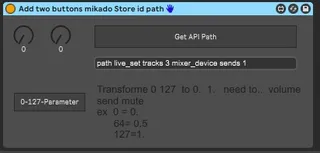
Add two buttons mikado Store id path
it for you as exemple "" icoste "" user yo...
- Type
- Audio Effect
- Author
- spiralune
- Version
- 1.0
- License
- None
- Live version
- 10.0.1
- Max version
- 7.3.5
- Downloads
- 117
- Updated
- No Updates
Add two buttons mikado Store id path is an Audio Effect for Ableton Live by spiralune, distributed as freeware, with no license specified by the author. It targets Live 10.0.1 and Max 7.3.5. On maxforlive.com it has 117 downloads. Published 2019-03-12. 1 user comment below.
New to Max for Live? Read what Audio Effects do, how device licenses work, how to install a device.
Description
it for you as exemple "" icoste "" user
your patch here
http://maxforlive.com/library/device/5317/add-two-buttons
you can see how made live recall parameter with object Pattr
and scale object 0 127 0. 1. for volume pan ect..
Comments (1)
download M4L Building Tools
and see Max patch in folder = API
and in folder =Lesson Devices = API Navigation Tools
you find all you need to start with max
https://www.ableton.com/en/packs/max-live-building-tools/#?item_type=max_for_live
---------------------------------------------
and if you need understand how store preset of you patch with live set
have made this exemple patch
http://www.maxforlive.com/library/device/4286/mikado-base-save-patch-preset-with-live-projet
and here another for how to use
two pattstorage object in same patch with Preset object
((normaly only one pattstorage per patch can work ))
http://www.maxforlive.com/library/device/4291/mikado-two-pattstorage-and-preset-seq