- Type
- MIDI Effect
- Author
- mganss
- Version
- 1.0
- License
- None
- Live version
- 10.1
- Max version
- 8.0.3
- Downloads
- 1,716
- Updated
- 2019-06-27
MidiMorph is a MIDI Effect for Ableton Live by mganss, distributed as freeware, with no license specified by the author. It targets Live 10.1 and Max 8.0.3. On maxforlive.com it has 1,716 downloads. First published 2019-06-25, last updated 2019-06-27. 8 user comments below.
New to Max for Live? Read what MIDI Effects do, how device licenses work, how to install a device.
Description
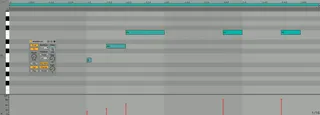
MidiMorph allows smooth interpolation between two MIDI clips. The output can be played directly from the device, saved to a new clip, or continuously updated to a destination clip. Source and destination clips are monitored for changes.
Usage:
1. Drag the device into a MIDI track
2. Select the source clip
3. Click the From button
4. Select the destination clip
5. Click the To button
6. Adjust the Morph dial (0 is identical to source, 1 is destination, 0.5 is half-way)
Output:
- Play directly from the device (if the Play toggle is on)
- Click the Clip button to save the current state selected by the Morph dial to a new clip
- Create a new clip, select it, then click the Out button to select permanent output to the newly created clip (will be overwritten whenever a new Morph value is selected or parameters changed)
More info at the link below. Please report issues at GitHub. Free and open source.
Comments (8)
What was your initial intended use case? Would love to hear how you're using it!
I also would love to hear about actual uses of the device :)
For example - I'm in session view - I've tried placing two MIDI clips on the same track and I'm selecting one clip for 'From' and one clip for 'To' and a third empty midi clip on the same track for 'Out'. The track is armed for recording (just in case). I'm doing this in this way becuase if I try and work across tracks - one clip in one track, one clip in another, and the out clip in another track - it doesnt seem possible to select 'From' 'To' and 'out' clips on the MidiMorph.
Do you know what am I doing wrong?
Can you provide a bit more explanation as to how to get this device up and running - I'd really love to explore it!
It's not necessary to always have an out clip assigned, though: The device will play the current pattern through its MIDI output (if the play button is on). Also, you can click Clip to create a new clip in the current track.
If it still doesn't work, please open an issue at GitHub. I don't get notifications of new messages here :(
thank you so much !
your patch is really really beautiful !
I am looking for a solution where when I record a quantized audio or midi clip I can drop a device on it and this device will let the clip play then chop off a bit from the end of the clip and puts it in the front and let it play again. - size of bits defined by the user: 1/64, 1/32, /16, /8, /4 or even other sizes...
and also it should work when the clip is looped - so when the clip has been played it gets another chop which will be put in the front and the loop goes on and on...
Would be an interesting option to have it on the other way around as well, maybe with a selector: chop from the end / chop from the beginning (and put it at the end)
Is there a solution for that for both audio and midi clips?
Thank you.