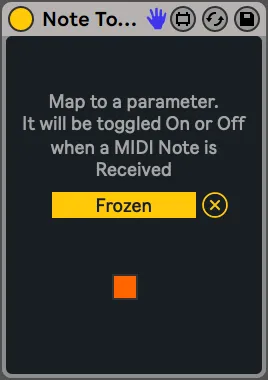
Note Toggle Map
Allows you to toggle on/off a mapped parameter with incoming...
- Type
- MIDI Effect
- Author
- ArnauBrichs
- Version
- 1.1
- License
- Attribution
- Live version
- 11.1.0
- Max version
- 8.1.5
- Downloads
- 572
- Updated
- 2024-01-31
Note Toggle Map is a MIDI Effect for Ableton Live by ArnauBrichs, distributed as Creative Commons Attribution. It targets Live 11.1.0 and Max 8.1.5. On maxforlive.com it has 572 downloads. First published 2022-04-14, last updated 2024-01-31. 5 user comments below.
New to Max for Live? Read what MIDI Effects do, what the Attribution license means, how to install a device.
Description
Allows you to toggle on/off a mapped parameter with incoming MIDI note ons/offs. Is meant for toggling buttons/parameters.
A little variation on this device:
https://maxforlive.com/library/device/7056/note-trigger-map
-
If you enjoy this device, please consider supporting its development here: https://www.paypal.com/donate/?hosted_button_id=X8G45PFSVWDDA
-------------
Change-log
v1.1. Changed default color behavior.
Comments (5)
Otherwise there might be some problem with Ableton.