- Type
- Audio Effect
- Author
- Crampe
- Version
- 1.0
- License
- None
- Live version
- 10.1.18
- Max version
- 8.1.5
- Downloads
- 180
- Updated
- 2023-11-20
DiP is an Audio Effect for Ableton Live by Crampe, distributed as freeware, with no license specified by the author. It targets Live 10.1.18 and Max 8.1.5. On maxforlive.com it has 180 downloads. First published 2022-08-30, last updated 2023-11-20. 3 user comments below.
New to Max for Live? Read what Audio Effects do, how device licenses work, how to install a device.
Description
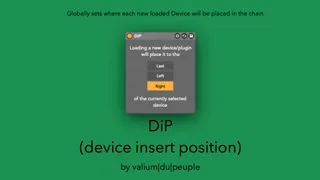
This M4L device lets you set where new devices/plugins will be added into the chain, relative to the currently selected device, when double-clicked to be loaded from the Browser.
It works as a global preference, and thus overrides Live's default behavior which is to add new devices at the end of the plugins' chain.
Simple, handy.
Place it on your Master track (or any "utility" track you might have in your set), and save it as part as your default template.
Comments (3)
Yep, I'm now aware and it's a Live bug, actually.
I reported to Ableton, so let's hope they can fix this soon.
cheers