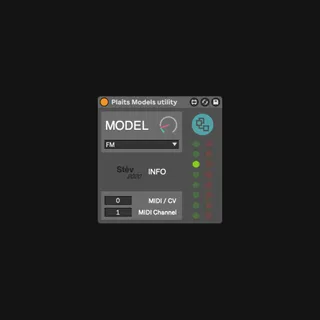
Plaits Models utility
Use this device to control Mutable Instrument's module Plai...
- Type
- MIDI Effect
- Author
- stefanostev
- Version
- 1.2
- License
- AttributionNonCommercialShareAlike
- Live version
- 10.0.1
- Max version
- 8.1
- Downloads
- 406
- Updated
- 2021-04-21
Plaits Models utility is a MIDI Effect for Ableton Live by stefanostev, distributed as Creative Commons Attribution-NonCommercial-ShareAlike. It targets Live 10.0.1 and Max 8.1. On maxforlive.com it has 406 downloads. First published 2019-09-28, last updated 2021-04-21. 4 user comments below.
New to Max for Live? Read what MIDI Effects do, what the AttributionNonCommercialShareAlike license means, how to install a device.
Description
Use this device to control Mutable Instrument's module Plaits 'Model' parameter.
Requires Plaits and a MIDI to CV interface to operate.
Connect your interface to your computer, either via MIDI or USB. Connect an output of your interface to Plaits 'Model' CV input. Set Plaits 'Model' to the first top green one, using the top left button to scroll through the list.
In Ableton, select your MIDI Interface as output device on the MIDI track you've loaded the device into. Use the MIDI/CV number to select the output from which your interface is sending out the CV signal. Use the MIDI Channel number to configure the MIDI Channel your output is set. You can set the same channel in Ableton's track as well.
You can now scroll through the different models using both the dropdown menu or the mappable knob.
Models' logos adapted from original design by Mutable Instruments released under Open Hardware cc-by-sa-3.0 license
Comments (4)
Thank you for reaching out! :)