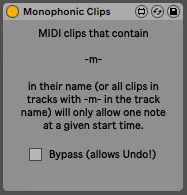
Monophonic Clips
This device makes designated MIDI clips behave like monophon...
- Type
- MIDI Effect
- Author
- dennisdesantis
- Version
- 1.1
- License
- None
- Live version
- 11
- Max version
- 8.1.9
- Downloads
- 341
- Updated
- 2021-03-15
Monophonic Clips is a MIDI Effect for Ableton Live by dennisdesantis, distributed as freeware, with no license specified by the author. It targets Live 11 and Max 8.1.9. On maxforlive.com it has 341 downloads. First published 2021-02-28, last updated 2021-03-15. 3 user comments below.
New to Max for Live? Read what MIDI Effects do, how device licenses work, how to install a device.
Description
This device makes designated MIDI clips behave like monophonic step sequencers.
Any MIDI clips that contain -m- in their name (or all clips in tracks with -m- in the track name) will only allow one note to be placed at a given start time. If a new note is created, any existing note with the same start time will be removed.
Durations aren't affected; the end of a note may extend past the start time of another note.
version 1.1
Dennis DeSantis
March 15, 2021
Notes:
- When using this device, Live's Undo will only be able to reach the point at which the device last operated on a clip. To reach earlier points in the Undo history, enable Bypass. When finished undoing, disable Bypass to use the device again.
- If notes are dragged over the start position of other notes, the dragged notes may jump to unexpected positions in the clip.
- Monophonic Clips will not work in versions of Live prior to Live 11.
changelog:
1.1:
- now more reliable when recording notes
- can now affect entire tracks, rather than just selected clips
- works with Push (and other devices that generate notes)
- improved Global Bypass
Comments (3)
Could you share a video with me that demonstrates the "top voice only" behavior that you've described? I can't reproduce this. For me, all notes at a given slice of time should be erased when creating a new note, leaving only that note in place.
Thanks,
Dennis